Publish Your Characters, Cast Them, and Share What Backers Bring In
A story world grows when people can see it, join it and help pay for it. This update works on all three. You can now publish characters and places to pages of their own, open casting calls and bounties, hand your cast and crew referral links that earn, and get paid through Stripe. Here is what changed and how to use it.
Share anything public, from any device
Pitch pages, productions, finished films, characters, open roles and these blog posts now carry one Share button. On a phone it opens the share sheet your phone already has, so you can send a world to whatever app you actually use. On a laptop it offers Facebook, X, Reddit and a copy-link button.
Finished films go further: on a phone, Share hands the video itself to the share sheet, so you can post a teaser straight to Instagram or TikTok instead of pasting a link.
Publish your world, one piece at a time
Until now, a visitor saw your pitch and not much else. Now any character,
location, faction or other element can get its own page under your pitch, at /pitch/your-world/world/element-name.
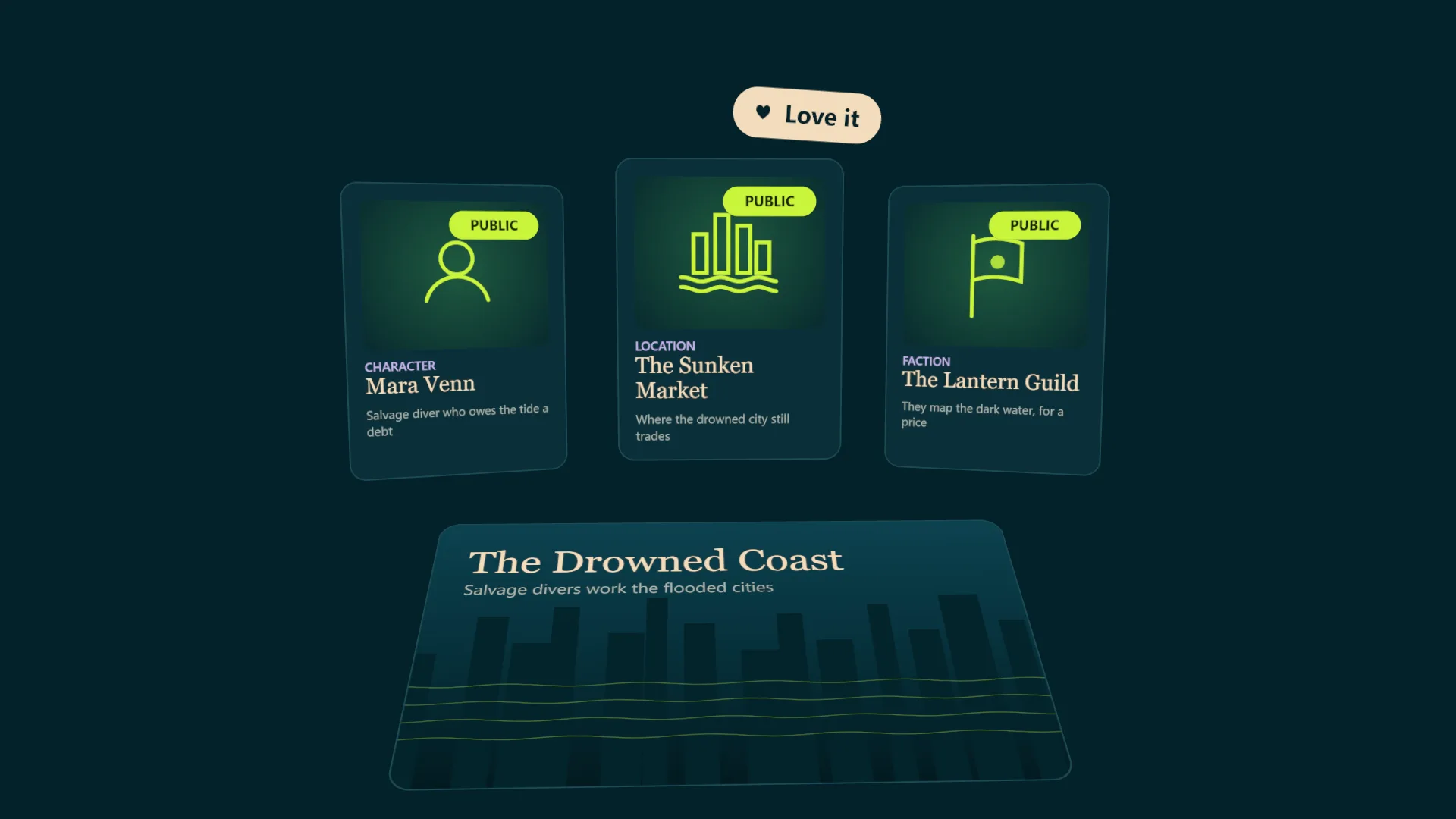
- You choose what shows. The description is public by default; every other field is something you tick. Backstory and secrets stay in the studio unless you decide otherwise.
- Visitors can explore. Each world gets an explorer page with filters by type, and the pitch shows an Explore the world strip with your published art up front. Element pages also link to the other published elements they connect to, written as sentences, and never name anything you haven't published.
- Publish in bulk. The Codex has a select mode for publishing or unpublishing up to 50 entries at once.
- Every page has a share card. Link previews show the element's art over your world's cover, with its name and summary, so a shared character looks like a poster rather than a bare link.
See what people respond to
Element pages have three reactions: Love it, Want more and Curious. Visitors don't need an account to react. You see the counts, and how often each element was shared, on its Codex card and in the element editor. It is an early read on which characters and places pull people in, before you spend Ink or production time on them.
Reactions are private by design: there's no sign-in, no IP addresses are stored, and the browser is identified only by a random value we keep as a one-way hash. Our privacy policy has the details.
Open roles and bounties get their own pages
Every open role on your pitch now has a page of its own, with an apply form, a share button and a share card. Put a reward on a role and it becomes a bounty, shown with a reward badge on the pitch, the role page and the card. The posting board in the studio shows how many times each role was shared and how many people applied.
Team admins can now post, edit and remove roles too, not just the owner.
Casting calls: let performers audition for your characters
Every published character on a published world now gets a casting call automatically. Performers can audition for on-screen, voice or motion capture performances with a link to their reel or a self-tape. You can opt any character out.
- One call, several performances. A character can have a voice actor and an on-screen performer. The call stays open until every type you asked for is cast.
- Owners and admins cast. You'll get an email for each audition, review it in the studio, and cast with one click. Releasing a performer reopens the call.
- Credit is the performer's choice. A character page shows Played by only when the performer turns their credit on.
- Performers get a home base. The new My Roles page shows the characters you play, your auditions and applications, and what you've earned.
Applying never grants anyone rights to a performer's likeness or voice; the audition form says so plainly.
Bring in backers, share the revenue
Half of what backers pay goes to the world's creators. The owner decides how that half is split, and cast members can now hold a share alongside the team.
Owners can also set a referral share. When it's on, anyone cast in the world or on its team gets a personal link from My Roles. When a backer subscribes through it, the person who shared it earns that percentage of the creator revenue from that backer, for as long as they stay cast or on the team. It comes out of the owner's portion, so no one else's share is reduced. Referral links are off until the owner sets a share, and the owner sees who brought in how many backers.
For a creator, this turns everyone who works on a world into someone with a reason to talk about it. For a voice actor with an audience, it is a way to be paid for bringing that audience along.
Getting paid
Payouts run through Stripe. Set yours up once from Settings. From then on, your share of each backing is sent to your Stripe account automatically and arrives once the backer's payment clears, which usually takes a few days. If someone owes you a share before you've set up payouts, it waits for you and is paid as soon as you finish.
Try it on your world
Publish two or three of your strongest characters and places, share one of them, and watch which one people react to. If you are ready for performers, check the casting status on your characters, then decide on a referral share for the people who will help you find backers.
New to backing? How to fund a story before you make it explains how Producers and Executive Producers support a world.
Create your first world
Start building your narrative graph — characters, locations, and relationships — before you commit to a single script.
Create your first worldKnow someone building a story world? Send this their way.
Comments
Be the first to comment.